Visibility gets you found; lead generation turns being found into enquiries you can actually count. My lead generation services are the demand side of what I do — Google Ads managed properly, content that works across every channel your customers actually use, and a steady pipeline of local partners worth knowing — all run through the same reporting, so you always know which pound did what, and where it’s worth spending your time, money and energy next.
What do my lead generation services include?
The ads management is scoped around your budget and the campaigns you actually need, and agreed with you in a clear written proposal before anything starts, while your media budget is billed directly to Google rather than passing through me — which means my only incentive is making the spend work harder. Every campaign gets its own dedicated landing pages, a live funnel dashboard that tracks the journey from click to enquiry to booked work, and a monthly audit where nothing changes without your approval. When a campaign underperforms I throttle and refine rather than pause, because demand is seasonal and switching off at the first dip is how you miss the recovery.
Content generation sits inside this for a reason: the same content strategy that builds your search visibility is the one that should feed your social channels and your Google Business Profile, and it works best when it’s planned as one system rather than a handful of separate chores. The Content Amplification add-on puts a fresh post on each channel you choose every single week, adapted from the blog posts, projects and news we’re already publishing for you and planned out on a twelve-month calendar, so nothing is left to the last minute and every channel you care about keeps quietly showing up — which means a single piece of well-made content earns its keep everywhere, in front of Google, the AI engines and your followers alike.
And for businesses that grow through relationships rather than search, the B2B partner sourcing service delivers a vetted list of local businesses worth an introduction each month, with the outreach drafted and the follow-ups sequenced — quiet, consistent pipeline-building that compounds over a year in a way one-off networking never quite does.
How do I track where every lead comes from?
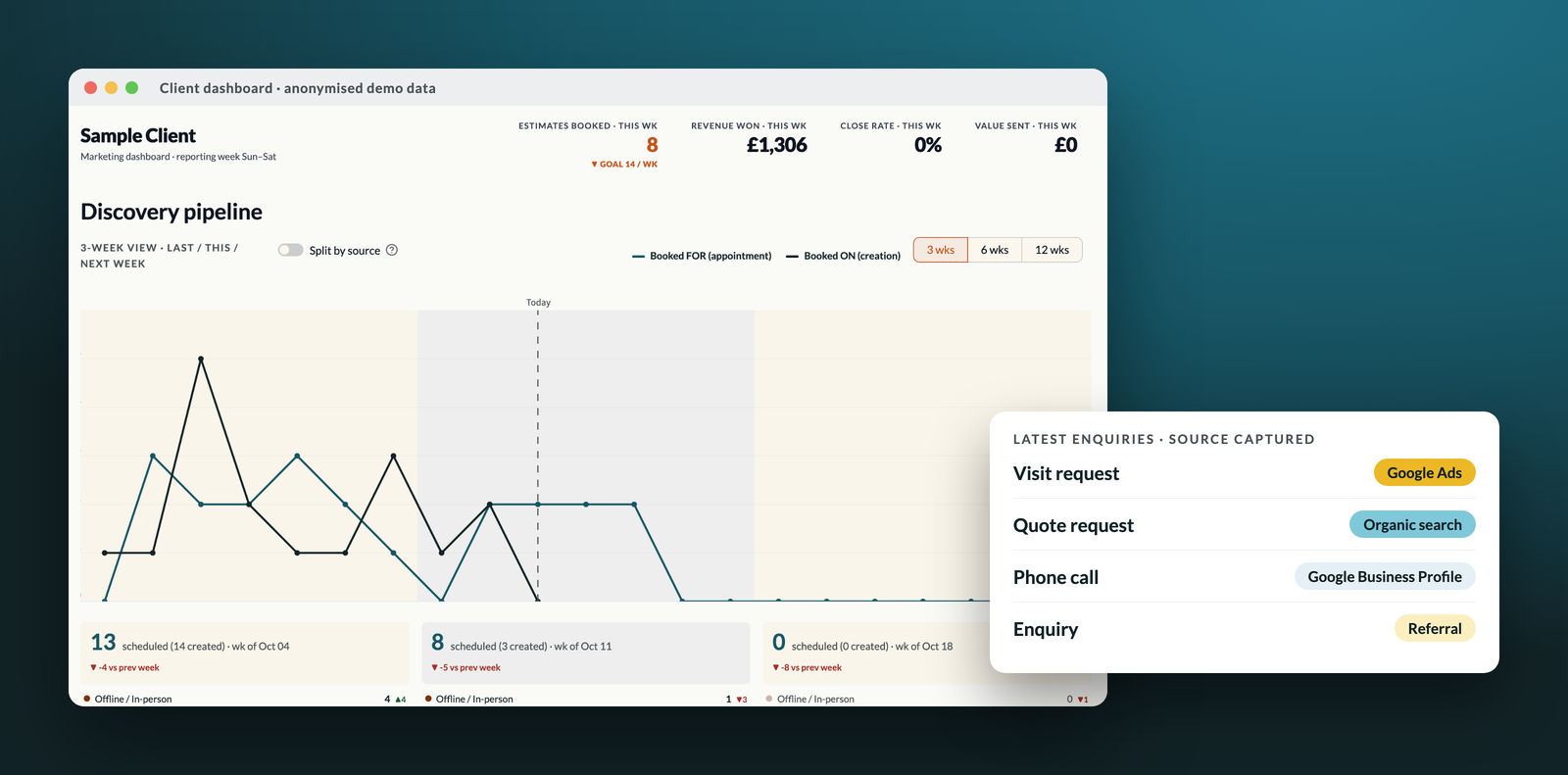
Generating enquiries is only half the job, because if you can’t see where they came from you can’t tell which of your marketing is paying for itself and which is quietly costing you money. So every site I look after records where each visitor first found you — Google Ads, organic search, your Google Business Profile, social media, an email or a recommendation — and carries that source through to the enquiry form, so each new lead arrives already tagged with the channel that produced it, even if they wander off and come back a few weeks later by a different route.
The same goes for the moments that don’t end in a form. Phone taps, email clicks, requests for directions and booking clicks are all tracked as standard, and where it makes sense a call-tracking number links phone calls back to their source too, so the picture isn’t limited to the people who happened to fill in a form.
What does the client dashboard show?
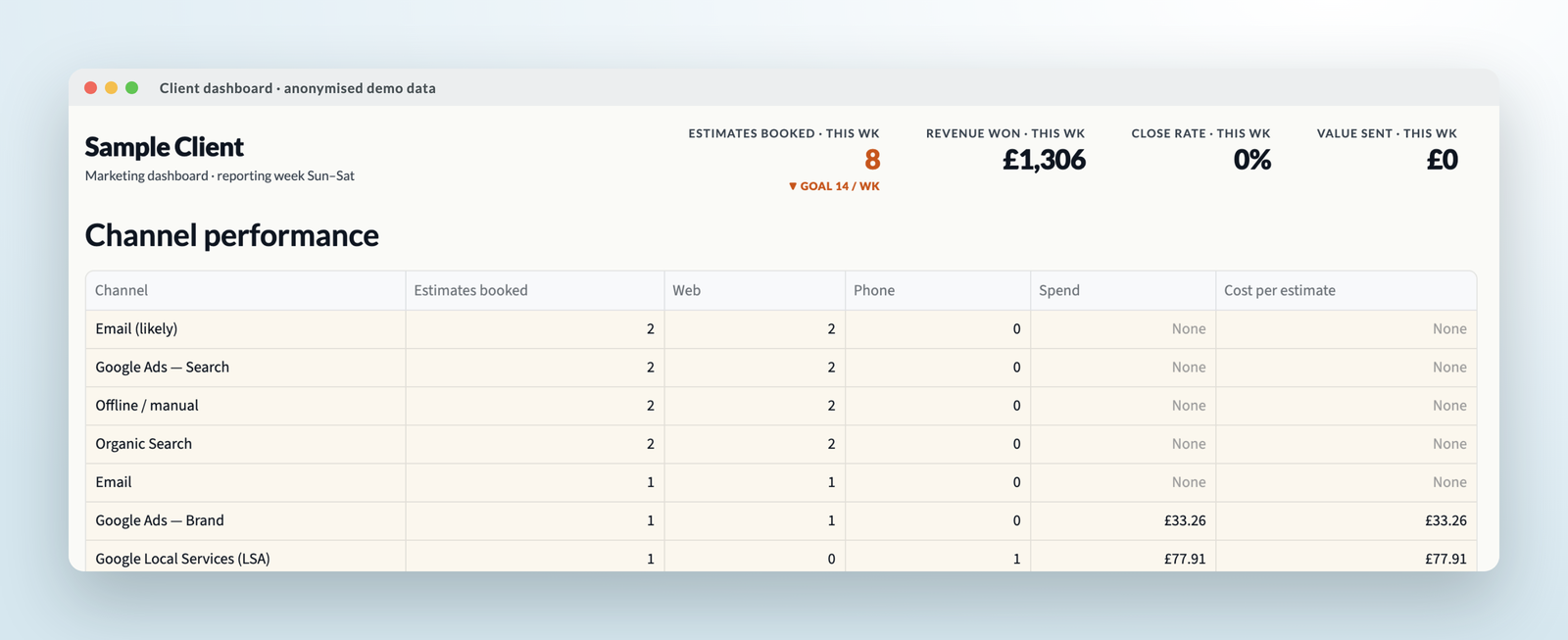
Every ongoing client gets a live marketing dashboard that pulls all of this into one place and refreshes itself throughout the day, so you never have to wait for a monthly report to know how things are going. It shows enquiries by channel, split between web forms and phone calls, alongside what each channel cost — which is the number that tells you whether a channel deserves more budget or less.
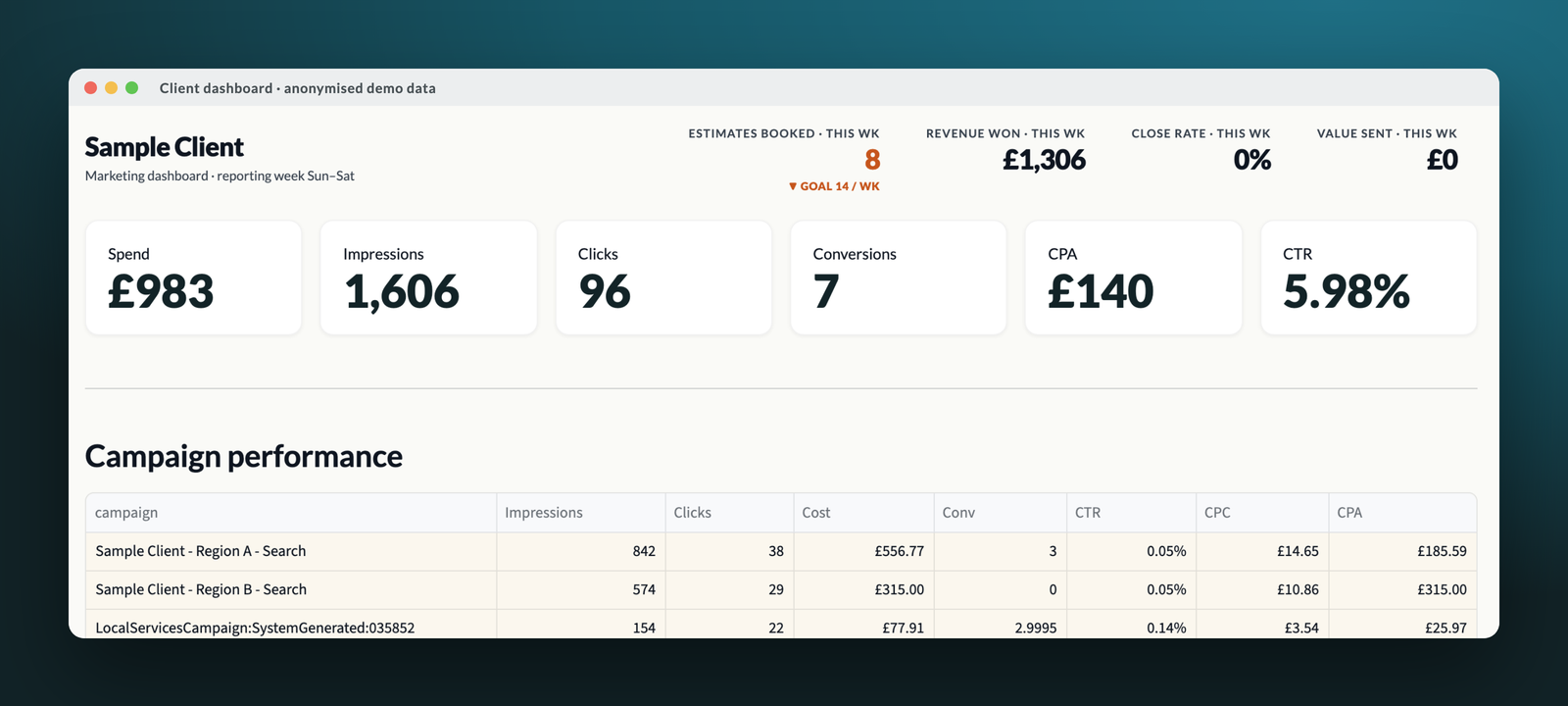
Paid search sits in the same view, with spend, clicks, conversions and the cost of each enquiry for every campaign, so the ads are judged on the leads they produce rather than on clicks or impressions alone.
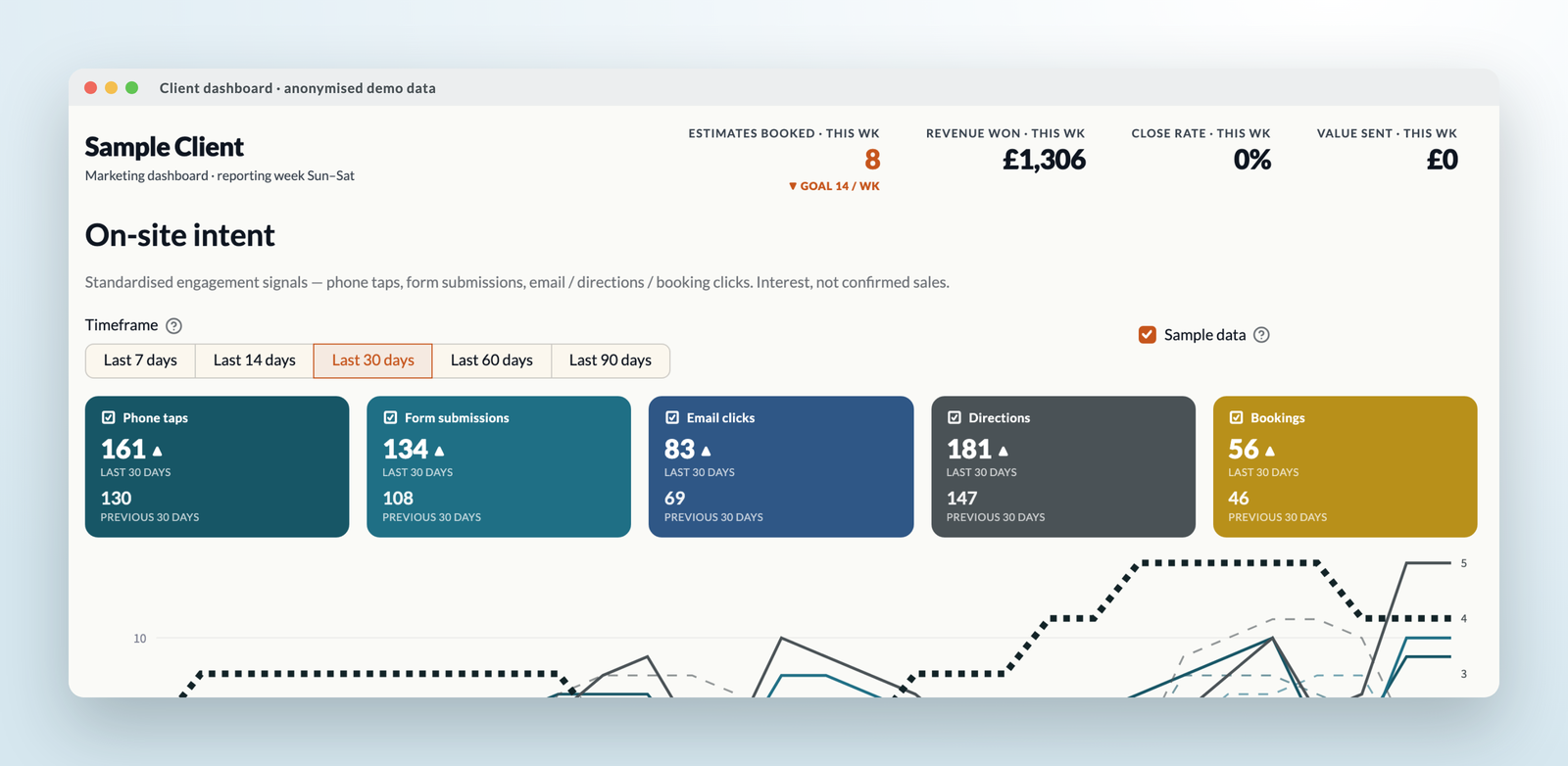
And because not every interested visitor is ready to enquire straight away, the dashboard also tracks the earlier signals of intent — phone taps, form submissions, email clicks, directions and bookings — against the previous period, which is often the first place you’ll see a seasonal shift coming.
How does channel tracking show your return on investment?
Where your booking or quoting system allows it, I connect the enquiries to what happened next — the estimate, the booked job and the finished work — so the dashboard can show which channels produce work that actually goes ahead, not just which ones produce the most enquiries. That’s the difference between a busy inbox and a profitable one, and it’s what lets us move budget away from channels that look good on paper and towards the ones that genuinely bring in revenue.
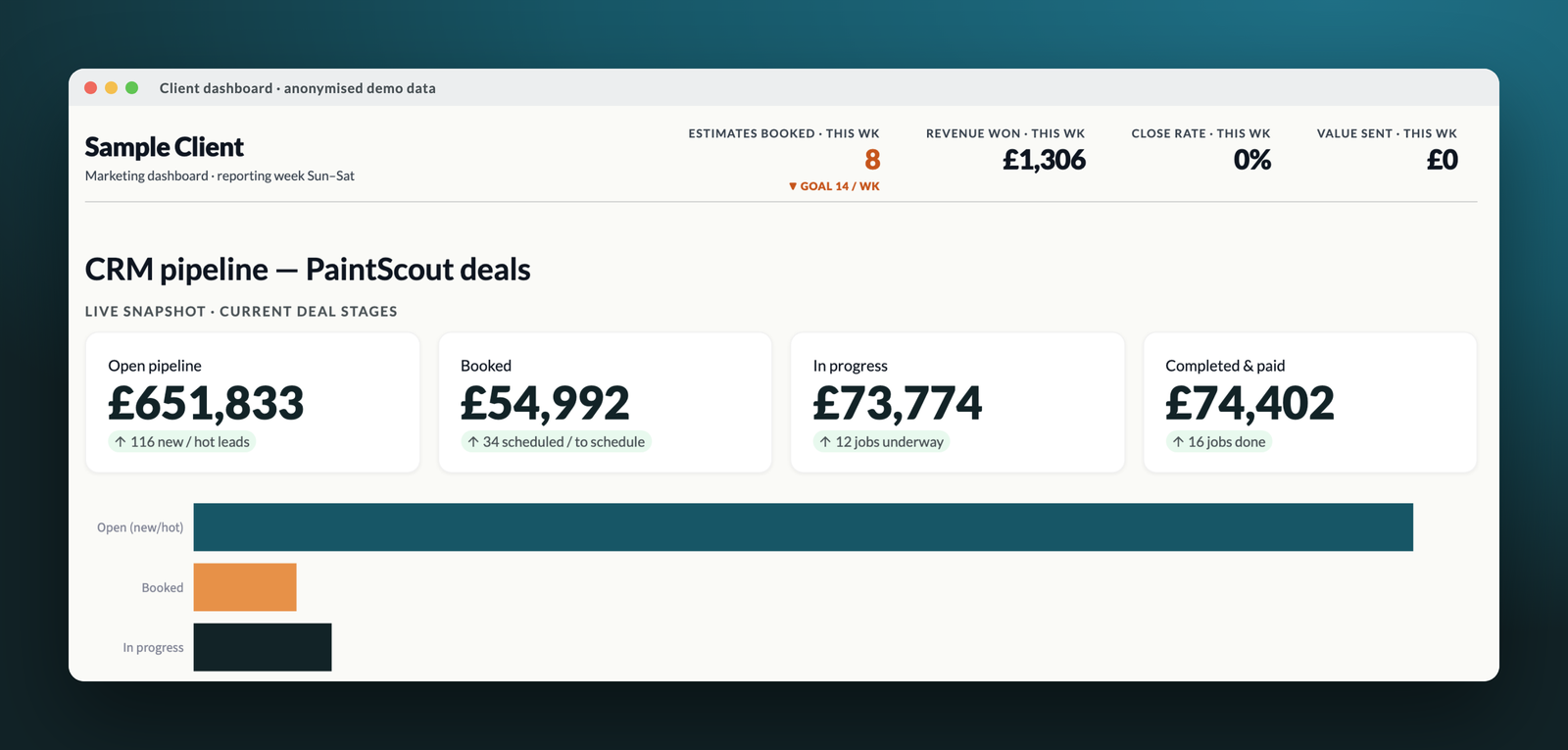
Alongside the dashboard, ads clients get a short weekly update by email covering enquiries, where they came from, what was spent and any new reviews, so the important numbers come to you rather than the other way round.
Lead generation services, frequently asked questions
Does my ad budget go through you?
No. Your media budget is billed directly to Google, and my management fee is agreed with you up front in a written proposal scoped to the campaigns you need, so you always know exactly what’s being spent where, and the more efficiently your budget works, the better for both of us.
Can you track phone calls as well as forms?
Yes. Taps on your phone number are tracked as standard on every site I look after, and where calls are an important source of work a call-tracking number can link each call back to the channel that produced it.
What’s the difference between this and a typical lead generation agency?
Most lead generation agencies sell you a volume of leads; I’d rather show you exactly where every lead came from and what it led to, so you can see which marketing is worth paying for. It’s your data, in your dashboard, and it stays useful whoever you work with.
Lead generation is user experience applied to the first click — the moment a searcher becomes a visitor with intent, and the landing page, the offer and the follow-up either honour that intent or waste it. Accountability is part of the experience too, which is why everything here reports through a dashboard. See user experience at every level for the full journey, or read how it worked for Dawmouse Montessori.